1
Open the report in MINT
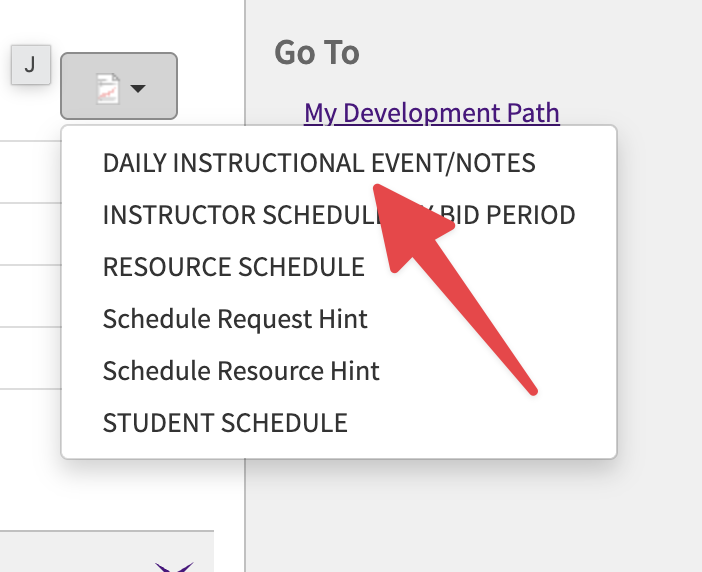
In MINT, click the report button and choose DAILY INSTRUCTIONAL EVENT/NOTES.
2
Download it as a CSV file
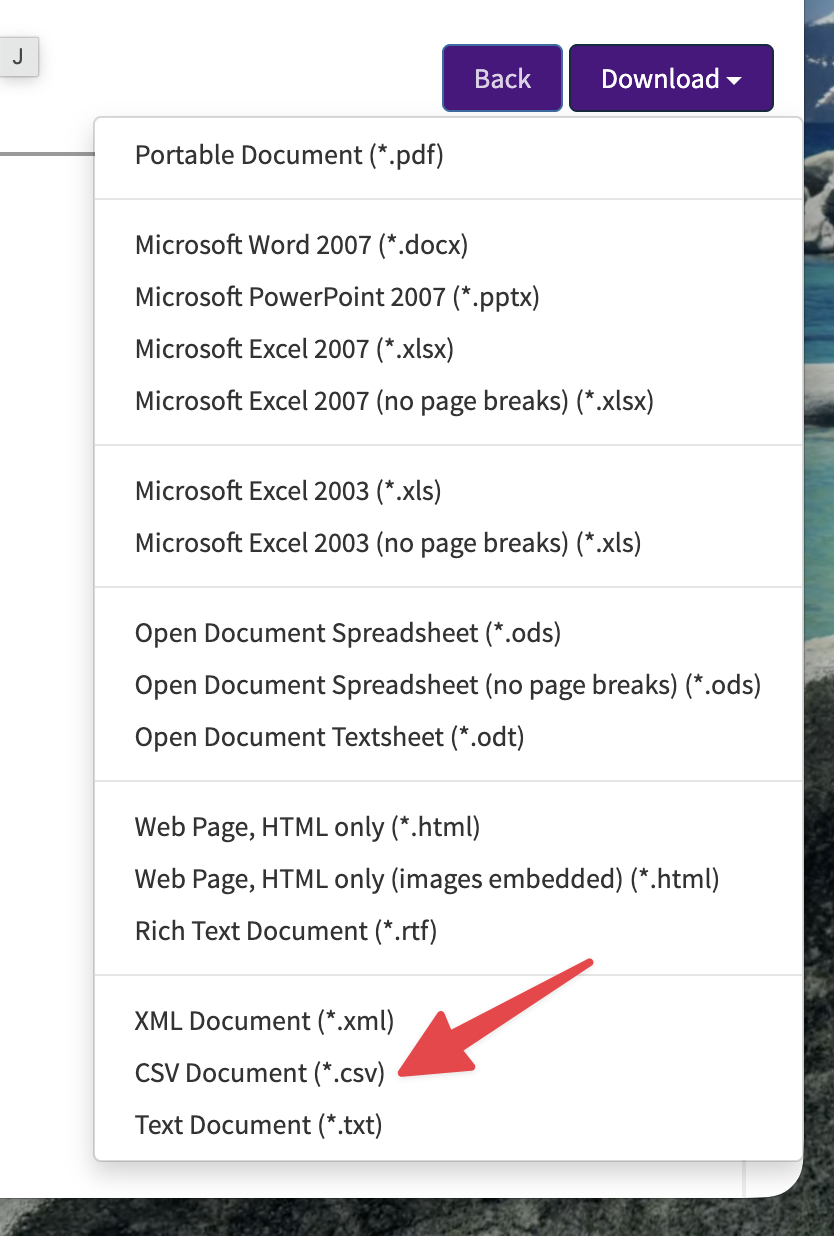
Pick your date range, then click Download and choose CSV Document (*.csv). It saves to your Downloads folder.
3
Add the file here
⬇️ Drag the CSV file anywhere onto this page, or
✅
We'll keep your own name off the crew notes — except when you're SUPPORT or an observer, so you can see you're not the one instructing.
4
Check your events
Your events will appear here automatically after you add the file in Step 3.
Reading your schedule…
5
Download your calendar
Open the downloaded file and your phone or computer will offer to add the events to your calendar. On an iPhone, you can also email or AirDrop the file to yourself and tap it.
No CSV file? Use the old copy & paste method instead
On your VIPS schedule webpage press Ctrl+A then Ctrl+C (⌘A then ⌘C on a Mac), paste everything below, then use the buttons above.